
District KPI Monitoring
Real-time target vs actual performance tracking across all active stores in District 4. Monitor sales monthly performance, waste control thresholds, and GPP compliance scores from a single field-ready interface.
This Google Sheet allows OFCs to input the annual NIBS and GP targets for each store. Store Managers (SMs) can then enter the store number in the highlighted yellow field to view and monitor the store’s monthly KPI performance throughout the year.
SM can enter the store number in the highlighted yellow field for the selected month to view and monitor the store’s monthly KPI performance for the second semester (2nd SEM) of the current year.
Using the drop-down menu, OFCs can select the appropriate Area Code for a specific month to view and monitor the monthly KPI performance for the first semester (1st SEM) of the current year.
Using the drop-down menu, OFCs can select the appropriate Area Code for each month to view and monitor the monthly KPI performance for the second semester (2nd SEM) of the current year.
SM can enter the store number in the highlighted yellow cell to view the YTD KPI performance for each store. This tool provides a structured way to monitor and evaluate store-level KPI performance.
This Google Sheet serves as a monthly KPI monitoring tool where OFCs and SMs can input and track KPI performance for each store on a monthly basis. Each KPI sheet includes detailed instructions and data baseline guidelines to ensure accurate, consistent, and standardized reporting.
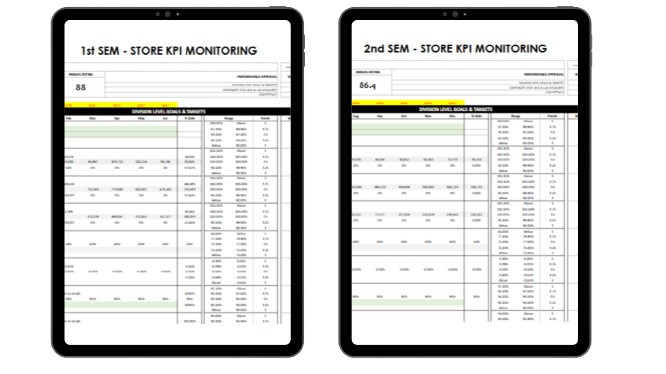
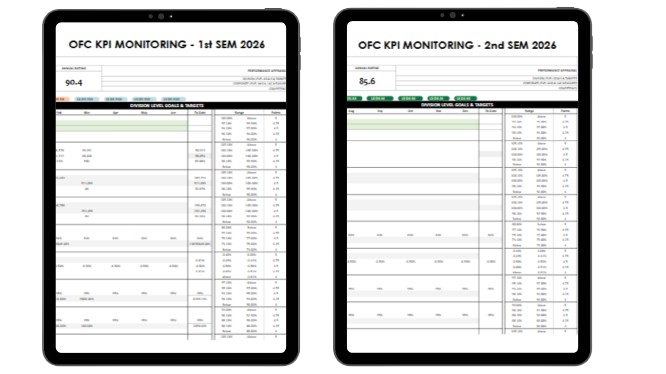
This template is a District 4 initiative and is not intended to serve as an official KPI monitoring tool. Its primary purpose is to provide a structured approach for closely tracking and monitoring monthly KPI performance, helping the team identify trends, measure progress, and support continuous improvement.
District POrtal
for Internal Use Only
(C) 2026 District portal is the UNOfficial website for Philippine SEVEN CORPORATIOn employees.
This website is intended exclusively for authorized employees and personnel of the company. The information, documents, reports, forms, and other materials contained herein are confidential and are provided solely for internal company purposes.
By accessing this website, users acknowledge and agree to maintain the confidentiality of all information obtained. Unauthorized access, disclosure, copying, distribution, sharing, or use of any content for personal, commercial, or non-business purposes is strictly prohibited.
Users are responsible for safeguarding company information and complying with all applicable company policies, data privacy regulations, and information security requirements. Any misuse, unauthorized disclosure, or violation of these guidelines may result in disciplinary action and, where applicable, legal consequences.
Access to this website signifies your acceptance of these confidentiality and security obligations.
CONFIDENTIALITY NOTICE